


X Me - Live Video Chat
4.7487.00 Reviews
App Specs
- Version
- 1.3.3
- Updated On
- License
- Free
- Downloads
- 5,000,000+
- Developer
- DOMIRO
- Categories
- Social
- Platform
- Android, iOS
Screenshots





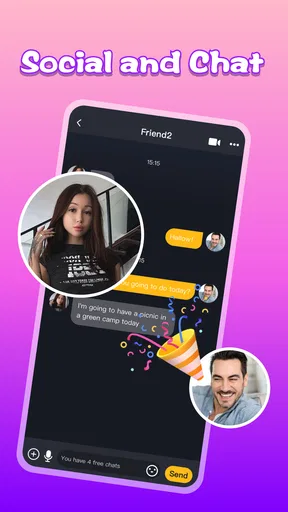
 Analysis by AppCompare
I approached X Me - Live Video Chat as a social app for people who want more immediate contact than ordinary text messaging. Its basic idea is easy to understand: it gives friends and family a place to communicate across distance, with the emphasis on live interaction rather than a slow back-and-forth conversation. After spending time with it, I found that its appeal depends heavily on the quality of the connection around you. When the network is steady, the experience feels direct and personal. When the connection becomes unreliable, the app’s main strength can quickly become its biggest source of frustration.
That makes this a more interesting app than its short “X Me” label suggests. It is not simply a replacement for every messenger, and I would not recommend installing it without thinking about how you normally communicate. The right question is whether you want a social space built around immediate contact and whether your everyday mobile connection can support that comfortably. For the right person, it can make distant conversations feel more present. For someone who mainly wants lightweight text chat, a familiar messaging app may still be the better fit.
How the live connection shapes the experience
The first thing I noticed is that the app’s value rises and falls with the feeling of being connected in the moment. A typed message can tolerate a pause, a delayed reply, or a brief loss of attention. Live communication is less forgiving. It asks both people to be available at the same time, and that creates a stronger sense of presence but also more pressure to keep the interaction moving.
This works particularly well for casual contact. If I want to check in with a relative who lives in another country, a live conversation can feel warmer than sending a series of short messages. It is also useful when explaining something that would be awkward to describe in text. A quick visual exchange can remove the need to write a long explanation, provided the connection remains stable enough for both sides to follow what is happening.
At the same time, I would not treat the app as a universal communication tool. Live contact is not always convenient. A person may be commuting, working, in a noisy place, or simply unwilling to appear on camera at that moment. The app is strongest when both participants have chosen the same kind of interaction. It is less suitable when one person needs the quiet flexibility of asynchronous messaging.
The social category also matters here. This is not an office collaboration tool or a private note-taking service disguised as one. The experience is centered on people and their availability. I found that the best results came from using it with contacts who already understand why I am reaching out. If I opened it expecting a conventional inbox with the same habits as a standard messenger, the live emphasis felt less predictable.
A realistic everyday situation
Imagine finishing a late shift and wanting to show a family member a small moment from your day rather than summarize it in words. You are outside, moving between places, and your phone is using a mobile connection. If the signal is reliable, a short live exchange can feel natural: you connect, share the moment, and end without building a long message thread. That is where this app makes sense to me.
Worth Reading Before You Choose

EA SPORTS FC Mobile 26 Is a Bigger Football Game, but It Takes Time

Flipboard Shows What News Apps Must Do Beyond the Feed

Switching to Android Auto Means Rethinking Your Driving Routine

Google Calendar Makes a Crowded Week Easier to Manage

Ludo King Makes the Most of the Minutes Between Plans

Baby Panda World Brings Quick Play to Modern Phones, but Its Game Library Feels Busy
Now change the situation slightly. You are in a crowded station, your connection is fluctuating, and the other person is also moving around. The same interaction can become awkward because pauses and interruptions matter more in a live format. In that case, a normal text-based messenger is probably the smarter choice. The trade-off is clear: immediacy creates warmth, but it also makes network problems visible.
The app is free to install, which makes trying it relatively easy. It also includes in-app purchases ranging from less than a dollar to amounts approaching a hundred dollars per item. I would therefore avoid assuming that every part of the experience is equally available without spending. Before treating it as a primary communication tool, I would look carefully at any purchase prompt and decide whether the free experience already covers the way I intend to use it.
Using it in different mobile contexts
My impression changed depending on where I imagined using the app. At home on a dependable connection, live communication feels like the natural center of the experience. In that setting, I can give the conversation my attention, keep the phone steady, and avoid the distractions that make mobile communication feel rushed.
On a phone outdoors, the situation is more complicated. Movement, background noise, screen glare, and changing signal quality all affect a live conversation even when the app itself is working properly. I would be comfortable using it for a short check-in while stationary, but I would not plan an important or emotionally sensitive conversation around a connection that might change from one street to the next.
Travel is another case where expectations matter. The app is aimed at communication across distance, but distance itself does not guarantee a smooth conversation. A traveler may be switching between networks, dealing with limited mobile data, or relying on a crowded public connection. In those circumstances, the app can still be useful, but I would treat it as a connection-dependent option rather than a guaranteed way to reach someone at any moment.
For families, the strongest use case is probably spontaneous contact between people who already know one another. A parent checking in with an adult child, siblings sharing a quick moment, or friends catching up after moving apart are all situations where the live format has an emotional advantage. The app feels less compelling if the people you want to reach are not willing to use the same service or prefer messages they can answer later.
What happens when the connection fails
Any live social app needs a practical recovery habit, and this is where I would advise new users to be realistic. If a conversation becomes choppy, the first response should not be to keep repeating the same action. I would pause, move to a place with a steadier signal, and try again only after the connection has improved. That simple change of behavior can make the experience feel much less frustrating.
I also recommend keeping an alternative communication method available. This is not because the app is necessarily unreliable; it is because live communication is sensitive to conditions outside the app’s control. If a message is urgent, I would not depend on a single live session. A short text or ordinary call can be the practical backup when timing matters more than the specific platform.
Recovery is also about managing expectations with the other person. If the conversation keeps breaking up, both participants may assume the other has stopped responding. A quick message explaining that the connection is unstable can prevent unnecessary confusion. This is one of the less obvious lessons of using a live social tool: the technical problem can become a social problem unless you make the interruption clear.
I would also avoid judging the app after testing it in the worst possible environment. Trying it for the first time in a crowded public place, while multitasking, gives a poor picture of what it can offer. A better evaluation is to begin with a short, low-pressure exchange from a stable location. That tells you whether the app fits your contacts and your communication habits before you rely on it more heavily.
Keeping mobile use under control
Live interaction naturally encourages longer sessions than a quick text. That has consequences for battery use and mobile data, even though the exact impact will depend on the device, connection, and length of each conversation. I would avoid treating a live session as something to leave running in the background. Open it with a purpose, stay aware of how long you have been connected, and close the conversation when it is finished.
If your mobile plan is limited, use the app more carefully away from Wi-Fi. A short exchange may be manageable, while repeated or extended sessions can become a poor use of your allowance. I would especially avoid testing it repeatedly in places where the signal is weak, because a struggling connection can make the interaction less satisfying while still consuming time and battery.
There is also a social form of data-conscious use. Not every contact needs a live conversation. If you only need to confirm a meeting time, send a brief text through a lighter service. Save X Me for moments where seeing or speaking with someone adds real value. That approach keeps the app from becoming a default button for every small update and makes its live quality feel more meaningful when you do use it.
People who are sensitive about mobile costs should pay attention to the purchase flow as well as their connection. The app is free, but optional purchases can range from $0.99 to $99.99 for an individual item. I would set a personal spending limit before exploring paid elements, particularly if the app is being used by a younger family member. The mature age rating of 17+ is another reason I would not assume it is appropriate for children simply because communication with relatives is the intended use.
Who will get the most from it
I think the app is best suited to adults who want a more immediate way to keep in touch with friends or family in different places. It makes sense for someone who already has a small group of contacts willing to use it and who values live presence more than a large collection of messaging features. It may also appeal to users who find ordinary text conversations too flat for personal catch-ups.
The developer is DOMIRO, and the app has attracted a substantial audience: it has passed five million installs and holds a 4.7 average from around thirty thousand ratings. Those figures suggest that the concept has found clear interest, but they do not remove the need to decide whether its communication style suits you. Popularity can tell me that an app is worth investigating; it cannot tell me that it will fit every household or every network situation.
I would be more cautious recommending it to someone who needs dependable communication for work, emergencies, or time-sensitive coordination. A specialized work tool may offer better organization, while a standard phone call or text may be more practical when the only goal is to deliver information quickly. I would also suggest skipping it if you dislike live interaction, have very limited data, or do not want to manage paid options inside a social app.
How it compares with familiar alternatives
Compared with a typical text messenger, this app’s advantage is immediacy. It encourages a conversation that feels closer to being together, but it gives up some of the convenience of answering whenever you have time. A text-based service remains better for reminders, detailed instructions, searchable information, and conversations that need to continue over several hours without requiring both people to stay present.
Compared with a traditional voice call, X Me - Live Video Chat appears more focused on a social, visual style of contact. That can make a family check-in feel more personal, but it can also demand more attention and a more suitable setting. Voice calls are often easier when someone is walking, working with their hands, or trying to conserve screen attention.
Compared with a broad social network, the app feels more direct in purpose. A large social platform may offer public posts, groups, feeds, and many distractions alongside private communication. This app’s appeal is narrower: it is about reaching people rather than browsing a busy stream. That focus can be refreshing, although users who want a full social ecosystem may find it limited beside a larger platform.
The most practical setup may be to keep it alongside, rather than instead of, your usual messenger. Use it when a live exchange is the point, and use the lighter alternative when the network, setting, or urgency makes live contact inconvenient. That division of labor gives the app a clear role instead of forcing it to handle every kind of communication.
What to know before installing
The app is free and supports devices running Android 7.0 or later. It was released on June 27, 2024, and the current version is 1.3.3. Those details make it accessible to many Android users, but I would still check that the phone you plan to use is comfortable with live communication and that you have enough room in your routine for an app that depends on active participation.
The mature 17+ rating should be taken seriously. I would not install it for a child merely because the family wants an easy way to stay in touch. Adults should also think about who they will communicate with and what boundaries they want around live social contact. The rating does not automatically tell me how every conversation will unfold, so sensible contact choices and supervision remain important where relevant.
One useful way to test the app is to start with a short conversation involving someone you trust. Try it from the place where you expect to use it most, then repeat the test from a mobile setting if that is part of your routine. Pay attention not only to whether you can connect, but also to whether the live format feels comfortable, whether the other person responds naturally, and whether the connection makes the conversation worth the effort.
My connectivity verdict
After considering the app as a daily communication option, I see its main strength and its main limitation as the same thing: it wants communication to happen now. That immediacy can turn a distant relationship into a more personal moment, especially when both people are ready and the connection is steady. It can also make a poor signal, an unsuitable environment, or an unexpected interruption much more noticeable than it would be in a text conversation.
I would recommend it to adults with friends or family who are willing to meet in the same live space and who have dependable access to a suitable connection. I would not recommend replacing every other messenger with it. Keep a quieter, less demanding option for quick updates and a dependable backup for urgent contact. That is not a weakness unique to this app; it is the sensible way to use any communication service whose best qualities depend on both people being present.
DOMIRO has created a focused social experience rather than an all-purpose communications toolbox. Its 4.7 average and audience of more than five million installs show that many users are responding positively to that focus, while the in-app purchase range and mature rating are details I would consider before making it part of a family’s routine. My final recommendation is simple: choose it for meaningful live connection, not for every message you need to send.
Pros
- Quick matching makes it easy to start conversations with new people.
- Video calls feel more personal than text-only social apps.
- Simple interface is easy for first-time users to navigate.
- Useful filters help narrow down potential chat partners.
- The app offers a lively way to meet people from different countries.
Cons
- Some features may require in-app purchases or paid credits.
- User quality can vary
- including inactive or misleading profiles.
- Unexpected video calls may be uncomfortable for some users.
- A stable internet connection is needed for smooth video chats.
- Privacy settings should be checked carefully before sharing personal details.
FAQs for X Me - Live Video Chat
What is X Me - Live Video Chat, and how does it work?
X Me - Live Video Chat is a social communication app designed for meeting and talking with other users through live video, voice, or text-based interactions. After creating a profile, you can browse available users, send messages, and start conversations when both sides are comfortable. The exact features may vary by region, account type, and app version, so review the current listing before downloading.
Is X Me - Live Video Chat free to use?
The app may be available to download for free, but some communication features can require in-app purchases, virtual credits, subscriptions, or other paid options. Video calls, gifts, profile visibility, or extended conversations may not all be included in the basic experience. Before spending money, check the pricing shown inside the app and confirm whether purchases renew automatically.
Is X Me - Live Video Chat safe for meeting new people?
As with any live-chat or social-discovery platform, users should be careful when interacting with strangers. Avoid sharing your home address, financial information, passwords, private documents, or personal contact details too quickly. Use blocking and reporting tools whenever available, and leave conversations that feel suspicious or uncomfortable. Parents should also review the app’s age rating and privacy settings.
Does X Me - Live Video Chat require a camera and microphone?
The app’s core live-video functions generally require access to your device’s camera and microphone, while some messaging features may work without them. You can normally manage these permissions through Android or iOS settings and disable access when you are not using video calls. A stable internet connection is also recommended, because poor connectivity can cause delays, dropped calls, or reduced video quality.
What should I check before downloading X Me - Live Video Chat?
Before installing X Me - Live Video Chat, check the official store listing for its latest age rating, privacy disclosures, supported devices, permissions, subscription terms, and user reviews. Make sure your phone has enough storage and that your operating system is compatible. It is also worth confirming how the app handles profile data, moderation, account deletion, and refunds before creating an account or making purchases.


